
Download and install m88 alternatif on your device
We offer three paths to access m88 alternatif: Android APK, iOS web app, and desktop browser. The Android APK is a direct download from our site—no Google Play Store approval needed. The iOS app is a progressive web app (PWA) that runs in your Safari browser and caches data on your device for faster loading. Desktop browser access works on any computer with Chrome, Firefox, Safari, or Edge.
All paths use the same m88 alternatif account
Your username, password, balance, and withdrawal history are synchronized across Android, iOS, and desktop. Log in once and your account data follows you to every device.

Installation steps for m88 alternatif
- DownloadAndroid users visit m88alternatif.id on their device browser, tap "App," and select "Download APK"; iOS users open m88alternatif.id in Safari and tap "Add to Home Screen."
- InstallAndroid prompts you to enable "Unknown Sources" in Settings if this is your first APK; iOS adds m88 alternatif to your home screen automatically.
- RegisterOpen the app, create your account with a username, email, password, and mobile number, and confirm your email via the link we send.
- StartFund your account via DANA, e-wallet, mobile banking, or bank transfer; verify your identity with KYC documents; and browse Liga 1, Piala Indonesia, or live-dealer tables.
The installation process on Android differs slightly from iOS because Android allows direct APK installation, while iOS uses browser-based web app technology. Both methods give you full access to our m88 alternatif football, casino, and sportsbook features. After installation, the app or web app updates automatically when we release new features or security patches.
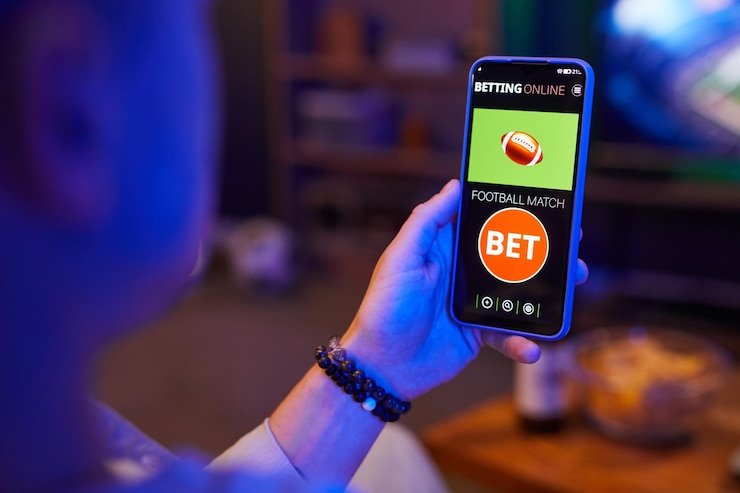
App vs. browser: which is right for you on m88 alternatif
Our m88 alternatif Android app and iOS web app offer offline cache, meaning some data (game listings, account history, odds snapshots) stays on your device even if your internet connection drops. Push notifications alert you to live match updates, withdrawal confirmations, and bonus offers—a feature not available in browser-only access. App performance is typically faster because the app loads directly from your device storage rather than downloading assets every time you open your browser.
Browser access (desktop or mobile) requires an internet connection every time you load the page, but you do not need to install anything and you get the same m88 alternatif account and payment options. Choose the app if you use m88 alternatif frequently and value speed and offline data; choose the browser if you prefer a lightweight, installation-free experience or if your device storage is limited.
Device compatibility for m88 alternatif
Our m88 alternatif Android app runs on Android 7.0 and higher. Android 7 was released in 2016, so most smartphones in current use meet this requirement. iOS web app access requires iOS 12 or later; Safari on iPhone and iPad versions released after 2018 support our app. If your device is older, check your operating system version in Settings and upgrade if available. We do not officially support devices running Android below 7.0 or iOS below 12, though older devices may still function with reduced performance.
Troubleshooting common m88 alternatif installation issues
If Android installation fails, check that you have enabled "Unknown Sources" in your device's Security or Apps settings—APK installation from sources other than the Play Store requires this permission. If iOS web app installation does not work, make sure you are using Safari (not Chrome or Firefox) and that you have enough device storage for the cached app files. If the app crashes after installation, clear the app cache (Android: Settings → Apps → m88 alternatif → Storage → Clear Cache; iOS: close Safari and restart), then reinstall. If you encounter certificate or security warnings when downloading the Android APK, verify that you are downloading from m88alternatif.id and not a third-party mirror—we sign our APK with a unique certificate that your device can verify.
Installation checklist
- Android: "Unknown Sources" enabled in device settings
- iOS: Safari browser used (not Chrome or Firefox)
- Sufficient device storage (minimum 100 MB free)
- Stable internet connection during download
- Device operating system meets minimum version
Data, permissions, and security on the m88 alternatif app
When you install the m88 alternatif Android app or iOS web app, we request permission to store data on your device and send you push notifications. The app cache stores your account session, game history, and odds snapshots—this data stays on your device and is not uploaded to any third-party server. Your login credentials, payment information, and personal data (name, email, phone, KYC documents) are encrypted in transit to our servers and stored in a secure database. We do not sell or share your data with marketing partners. All withdrawal requests are reviewed by our compliance team before processing, and two-factor authentication (via your registered mobile number) protects your account from unauthorized access. For full details, see our privacy policy